 P4A Documentation
Rulesets in P4A
What an API Governance ruleset is, how it differs from a gateway policy, and how to find one in the P4A catalog.
Overview
A ruleset is a set of API Governance rules that checks an API or agent specification against your organization's standards: naming, documentation, security schemes, versioning, and so on. P4A hosts a community catalog of rulesets next to its policy catalog, so you can reuse rules other teams have written or share your own. Browse it from the Rulesets page.
Rulesets and policies
Rulesets and policies both enforce standards, but they act at different points:
| Ruleset | Policy | |
|---|---|---|
| When it acts | Design time, before anything is deployed | Runtime, on every request through the gateway |
| What it checks | The API or agent specification (RAML, OAS, AsyncAPI, gRPC, agent cards) | Live traffic (headers, payloads, tokens, rate) |
| Outcome | A conformance report: which rules pass or fail | A request is allowed, changed, or rejected |
| Written in | YAML, as an AMF Validation Profile | Rust, with the Policy Development Kit |
A ruleset tells you an API is designed correctly. A policy makes sure it behaves correctly once it's live. Most teams use both.
Where rulesets are used
In Anypoint Platform, rulesets are applied through API Governance. You publish a ruleset to Exchange, add it to a governance profile, and choose which APIs the profile applies to. API Governance then validates those APIs against every rule in the profile and reports which ones are conformant. Developers can also validate a specification locally against the same ruleset before they publish it.
Each rule carries a severity:
- Violation — the API is not conformant until this is fixed.
- Warning — worth fixing, but doesn't block conformance.
- Info — advice only.
Browsing the catalog
The Rulesets page lists every published community ruleset. Each card shows the ruleset's category, a bar and chips summarizing how many rules it has at each severity, and the kinds of API it targets.
- Search by name or description.
- Filter by Category and Target scope. The categories are Security, API Design, Documentation, Compliance, MCP, A2A, LLM, Operations, and Other. The target scopes match the API types in Anypoint API Governance: REST, AsyncAPI, HTTP, gRPC, Agent, and MCP.
- Sort alphabetically, by submission date, by likes, or by views.
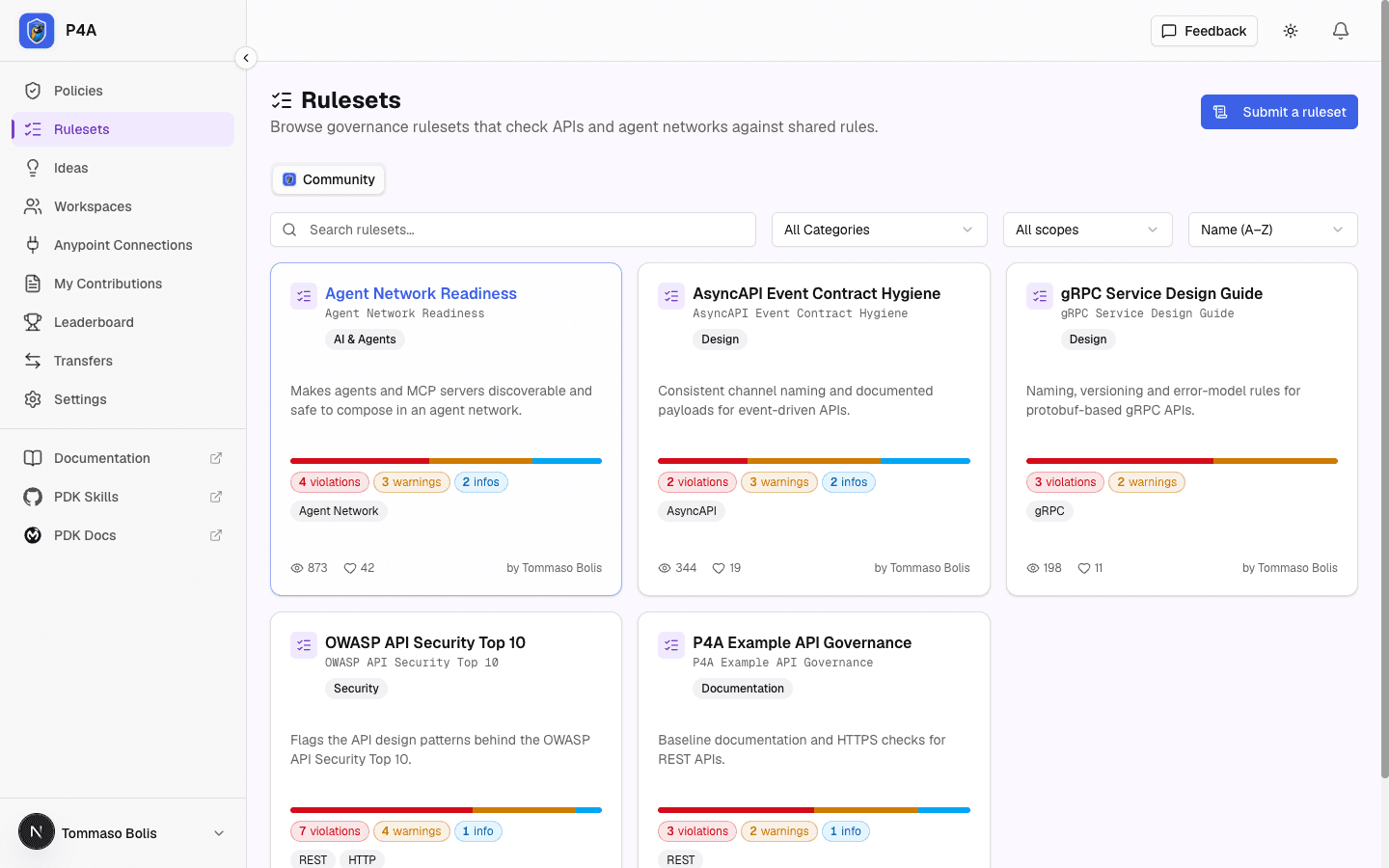
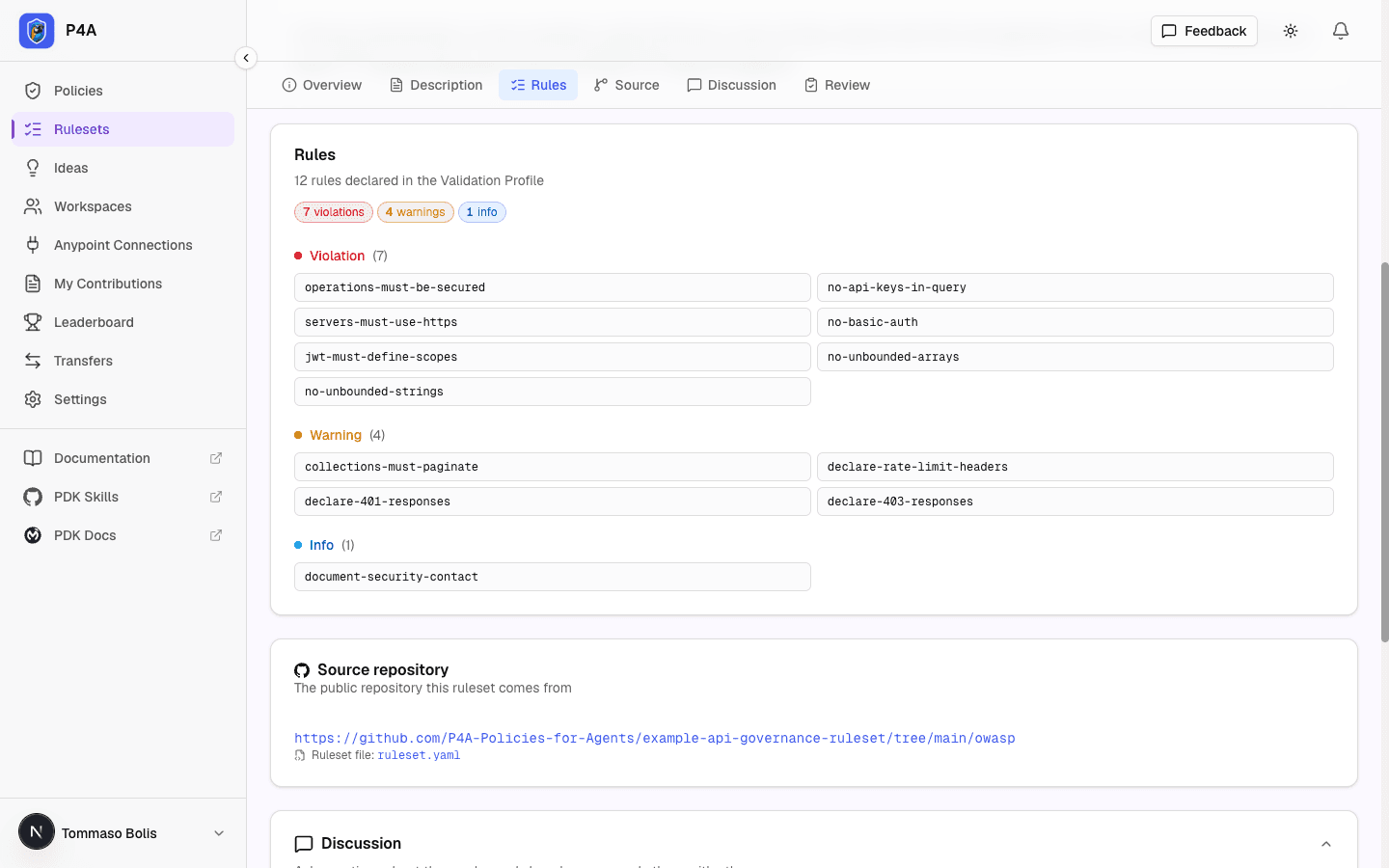
Open a ruleset to see its detail page:
- the Validation Profile name and its target scopes
- every rule, grouped by severity
- the author and the publication date
- the source repository, with a View YAML button that opens the profile file
- a Docs button that opens the ruleset's documentation: an Overview plus any Rules, Examples, FAQ, or custom tabs the author filled in (see Documenting your ruleset)
- a Like button and a Discussion thread where you can ask the author questions
- buttons in the header to open the source repository and to Report an issue, which opens a pre-filled issue on the repository so the author can track the bug
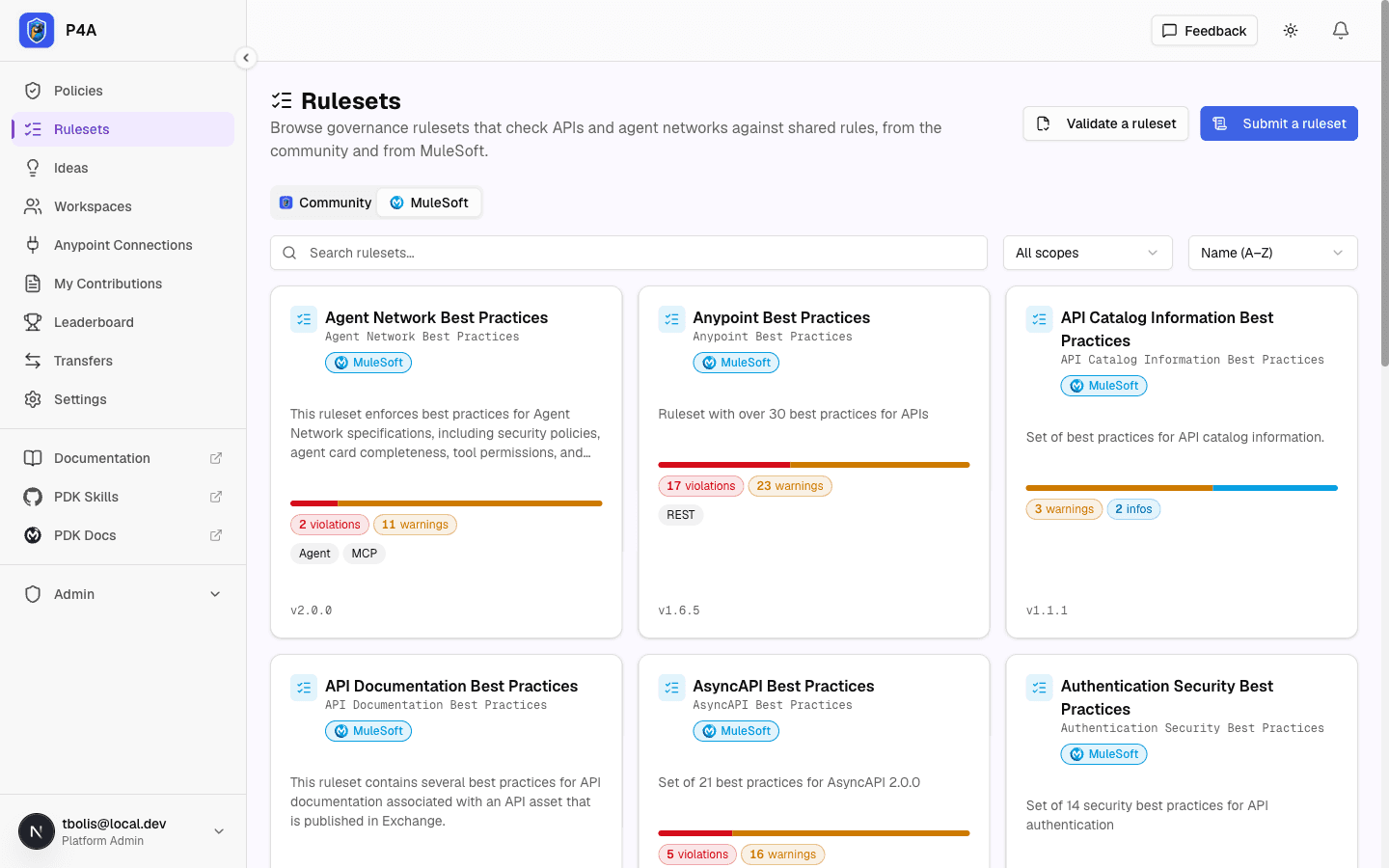
MuleSoft's out-of-the-box rulesets
MuleSoft publishes its own API Governance rulesets, such as Anypoint Best Practices, OpenAPI Best Practices, the OWASP API Security Top 10 checklist, and AsyncAPI, gRPC and Agent Network best practices. P4A keeps a read-only copy of this catalog, synced from Anypoint Exchange, next to the community catalog. You can't submit, like, or comment on these; they are reference data.
Browse them in the portal
On the Rulesets page, switch to the MuleSoft tab. It works like the community tab: search by name or description, sort alphabetically, and filter by category when MuleSoft has tagged the rulesets with any. Each card shows the ruleset's name, profile name, summary, rule counts per severity, the kinds of API it targets, and its latest version. Like the rest of the portal, the tab requires you to be signed in.
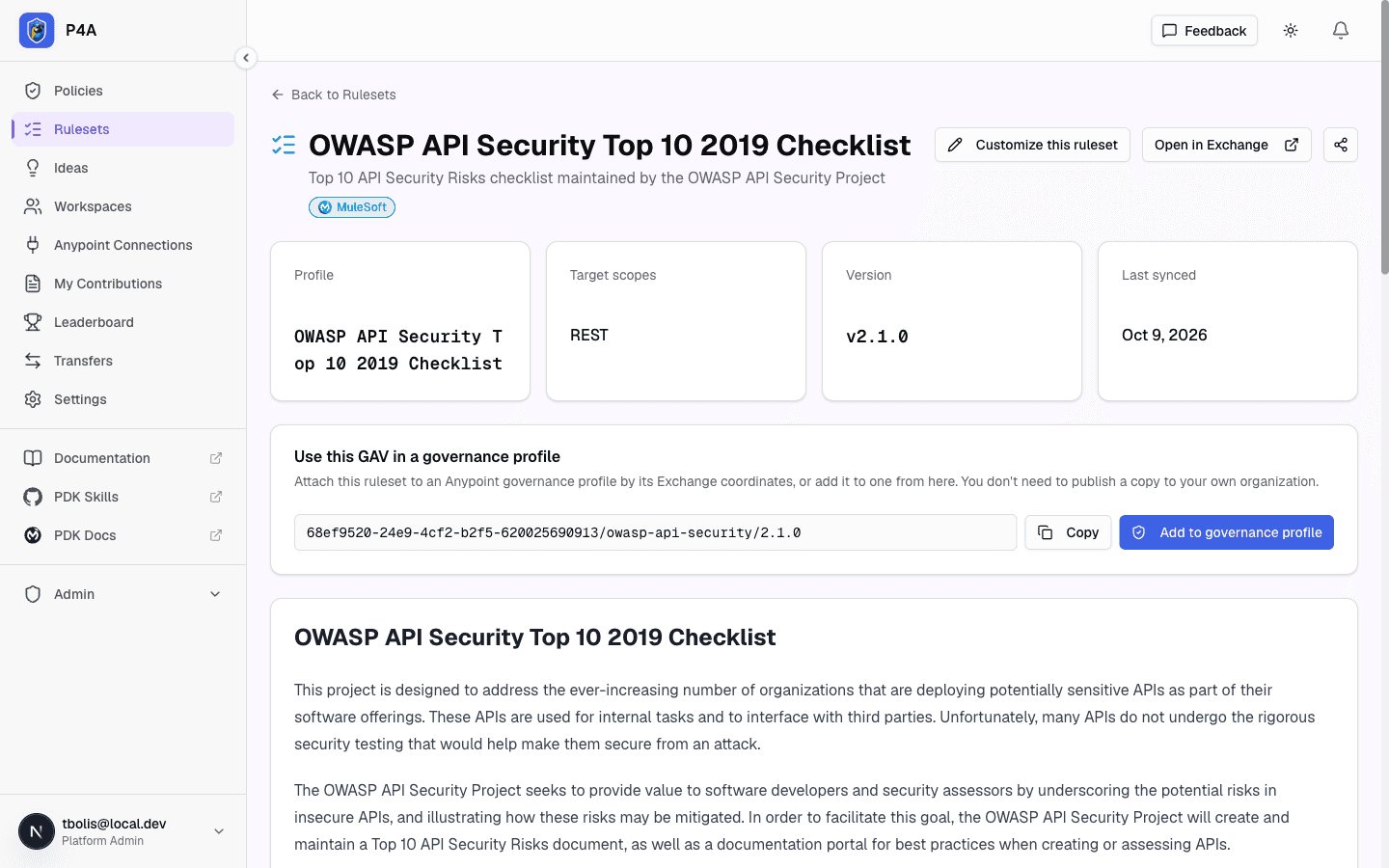
Open a card to see the ruleset's detail page:
- an Open in Exchange button that takes you to the asset on Anypoint Exchange
- the profile name, target scopes, version and when P4A last synced it
- a Use this GAV in a governance profile block with a Copy button (see below)
- MuleSoft's documentation page for the ruleset, or its description when it has none
- every rule, grouped by severity
- a Share button that copies a public link, or shares it on LinkedIn or X (see below)
A ruleset MuleSoft withdraws, or that P4A hides from the catalog, disappears from the tab, and its detail page returns "page not found".
Share one with someone who isn't signed in
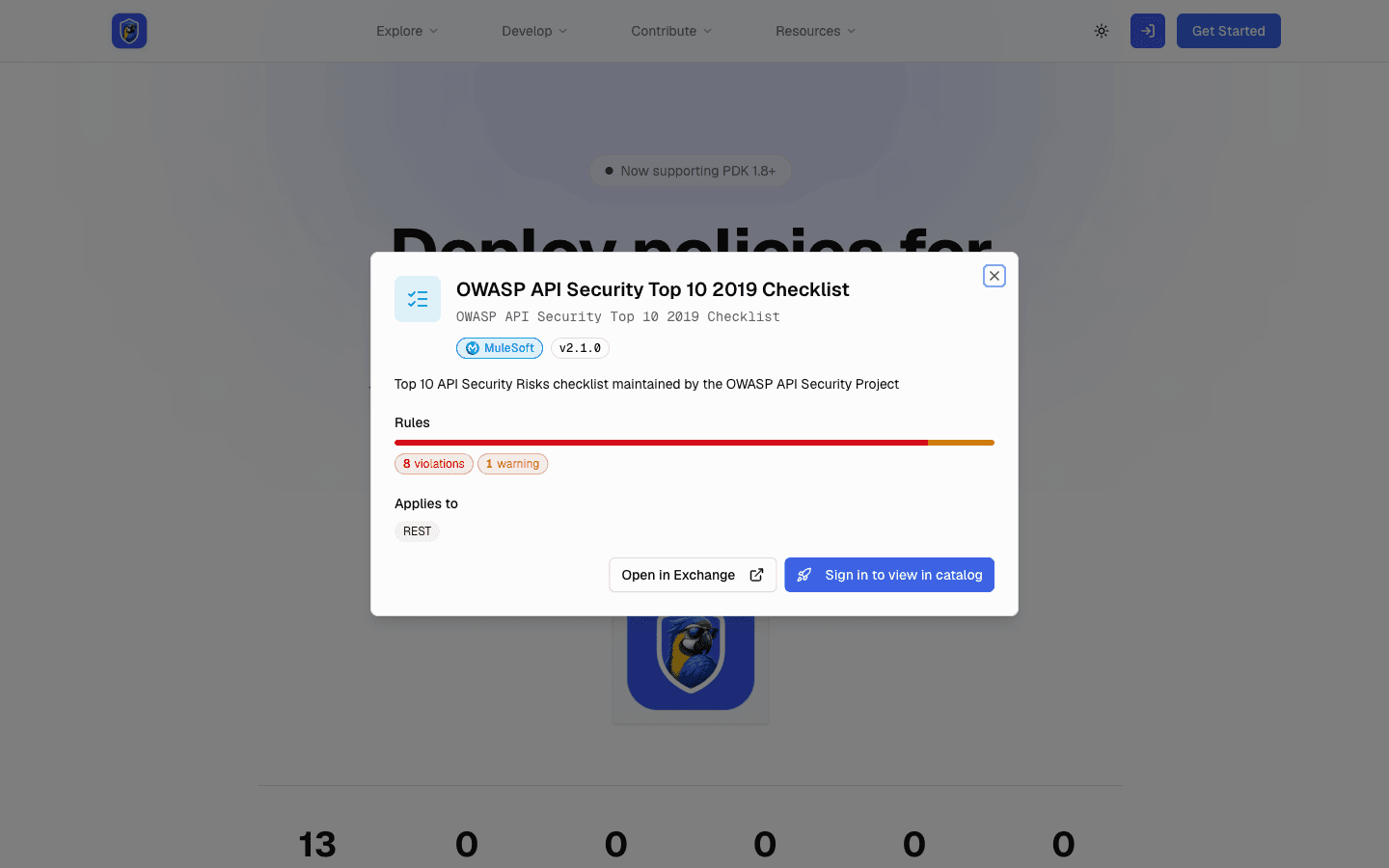
The Share button on a MuleSoft ruleset's page links to a public page that anyone can open without a P4A account. It shows the ruleset's name, description, version, rule counts per severity, the kinds of API it targets, and an Open in Exchange button. The rules themselves, the documentation and the YAML stay on the signed-in detail page: the public page's Sign in to view in catalog button takes the visitor there after they sign in. Links shared on social networks show the ruleset's name and description in the preview.
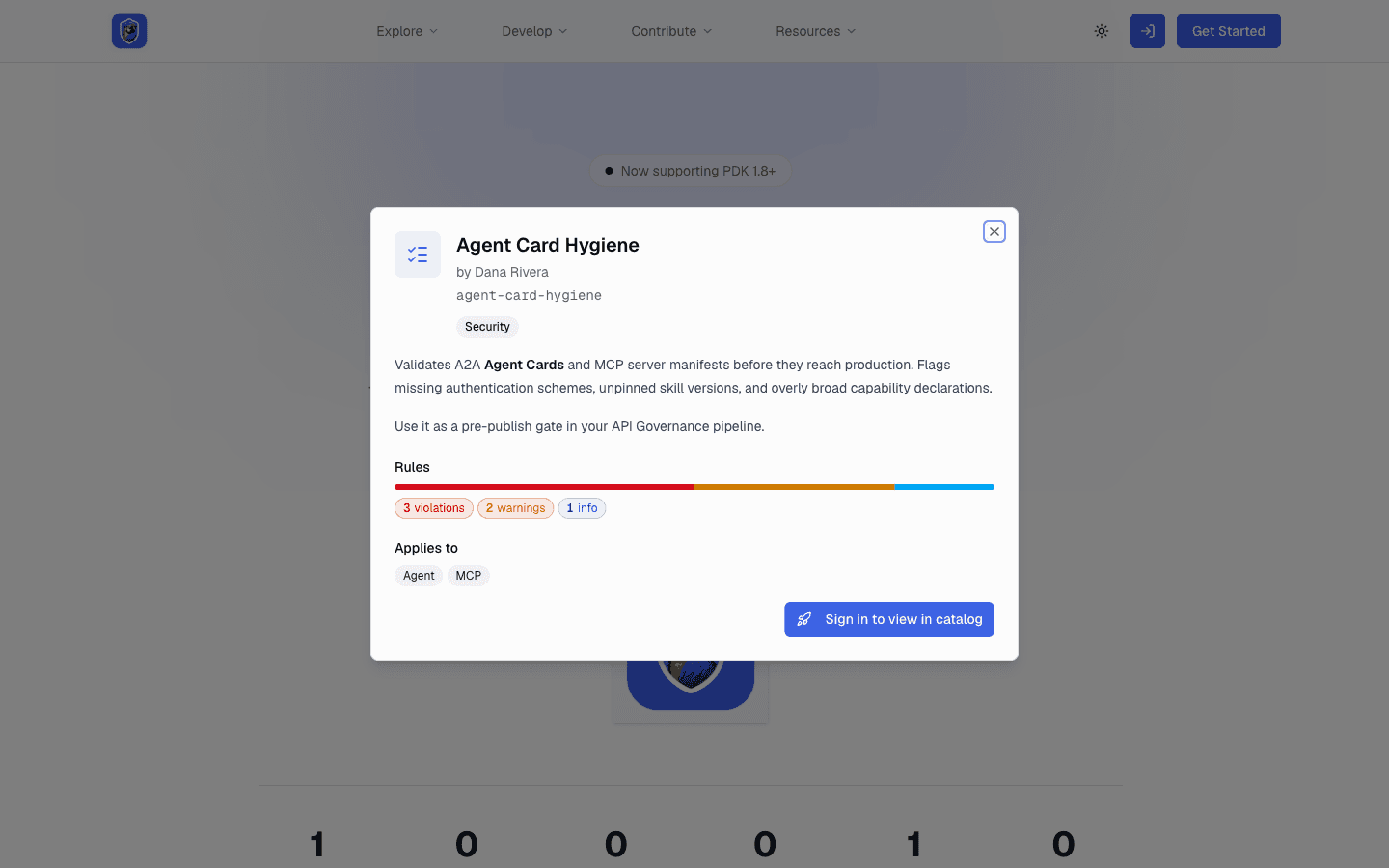
A published community ruleset has a public page too. Its Share button links to a page showing the ruleset's name, owner, category, description, rule counts per severity and the kinds of API it targets. The rules, the source repository, deployment and the discussion stay on the signed-in detail page, which the Sign in to view in catalog button opens after sign-in. Social previews work the same way.
While a community ruleset is still under review it has no public page. Its Share button links to the detail page, which asks the visitor to sign in.
Read them through the API
You can also read them through the REST API and the MCP server:
| What | REST | MCP |
|---|---|---|
| List them | GET /api/rulesets?source=mulesoft | search_rulesets with source: "mulesoft" |
| Read one | GET /api/mulesoft-rulesets/{slug} | get_mulesoft_ruleset |
Both lists support q (search by name and description), scope (the kind of API a ruleset targets), and alphabetical sorting. The list shows each ruleset's name, summary, version, rule counts per severity and Exchange link. The detail adds the full description, every rule name, MuleSoft's documentation page, and the Validation Profile YAML, so you can read the actual rules. A ruleset MuleSoft withdraws, or that P4A hides from the catalog, disappears from both.
Every MuleSoft ruleset carries its GAV: groupId/assetId/version. Use the Copy button on the detail page to copy it. You don't republish a MuleSoft ruleset to your own organization. Instead, attach the GAV directly to an Anypoint governance profile. See Creating Governance Profiles. To adapt one, copy its YAML and follow Creating Custom Rulesets by Modifying Published Rulesets.
Writing a ruleset with your AI agent
P4A doesn't run a model. Your own agent (connected through the MCP server) writes the ruleset and P4A helps it get the format right:
- Ask your agent to use the
author_rulesetprompt and describe the rule in plain English. - The agent can start from a MuleSoft ruleset with
fork_mulesoft_ruleset, or from a community one withfork_ruleset. Both return the YAML plus a suggestedexchange.json. In the portal, Customize this ruleset on a ruleset's page shows the same files. - The agent calls
validate_rulesetafter every draft until it returnsvalid: true. Errors include line numbers where known. The same check is available asPOST /api/rulesets/validateand as Validate a ruleset on the Rulesets page. - For a final check by the real Anypoint validator, pass
authoritative: truewith a connection and workspace. This is rate limited per day. - Commit the file to a public repository and submit it with
submit_ruleset.
The full walkthrough is in Authoring a ruleset.
Using a ruleset
Once a ruleset is approved, you can publish it to your own organization's Exchange straight from its detail page and add it to a governance profile in the same step. See Publishing a ruleset. You can also do it by hand with the API Governance CLI, as described in Validating and Publishing Custom Rulesets.
To write a ruleset with your agent, see Authoring a ruleset. To share one, see Submitting a ruleset. Each published ruleset earns leaderboard points, like a published policy, and the most-liked rulesets appear in the Top Rulesets column of the leaderboard.