 P4A Documentation
Discussing a policy
Ask questions and share configuration tips on a policy's detail page with threaded, Markdown comments.
Overview
Every policy detail page has a Discussion section where you can ask questions, share configuration tips, and reply to other users. Comments are public — anyone browsing the catalog can read them — but you must be signed in to post, edit, or delete.
Open any policy from the Policies page and scroll to Discussion (or use the Discussion quick link at the top of the page).
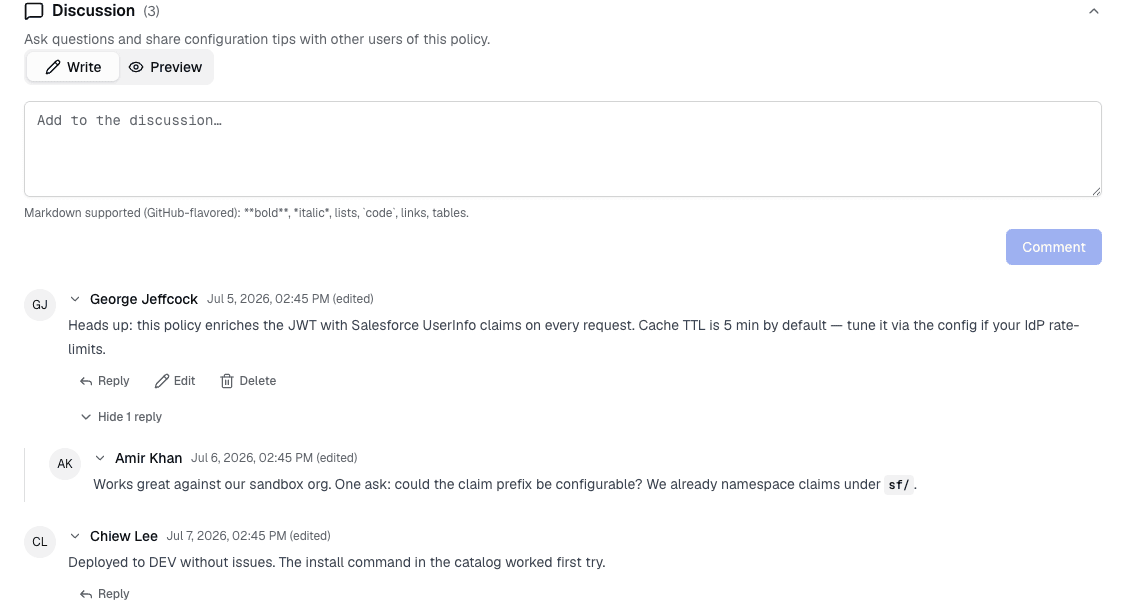
The whole Discussion card, each thread's replies, and each individual comment can be collapsed independently — everything is expanded by default.
Posting a comment
Sign in, then type your comment in the box at the top of the Discussion section and click Comment. Comments support GitHub-flavored Markdown — use the Write / Preview tabs to check formatting before posting. bold, italic, lists, code, links, and tables all render.
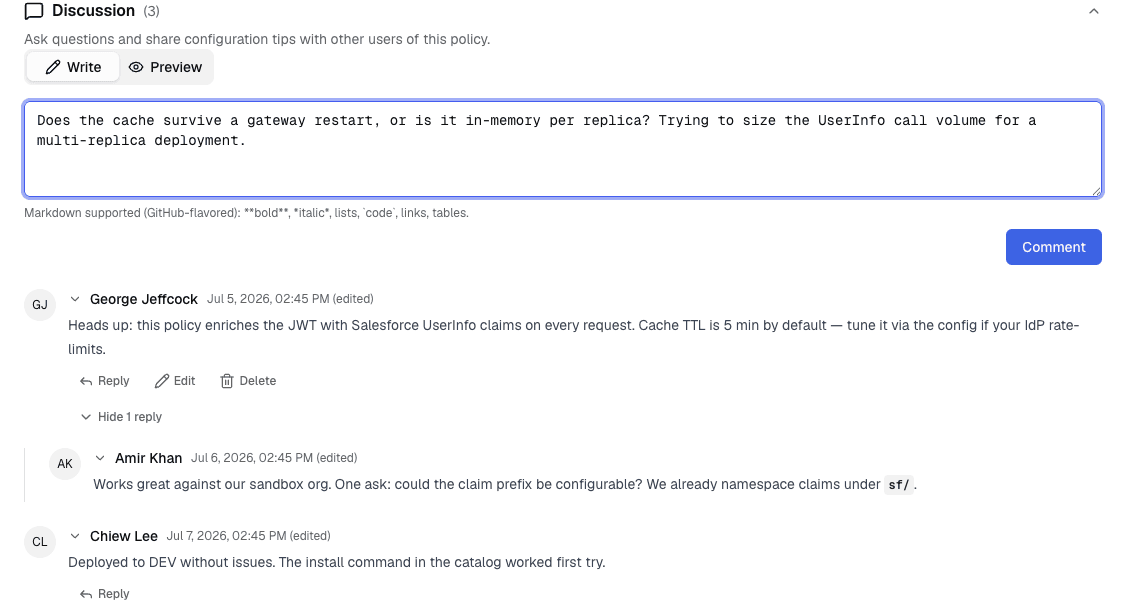
There is a soft daily limit on how many comments you can post, to keep the discussion free of spam. If you hit it, you'll see a message and can post again the next day.
Replying
Click Reply under any comment to respond to it — including a reply. Replies are shown indented beneath the comment they answer, so a back-and-forth reads as a nested thread.
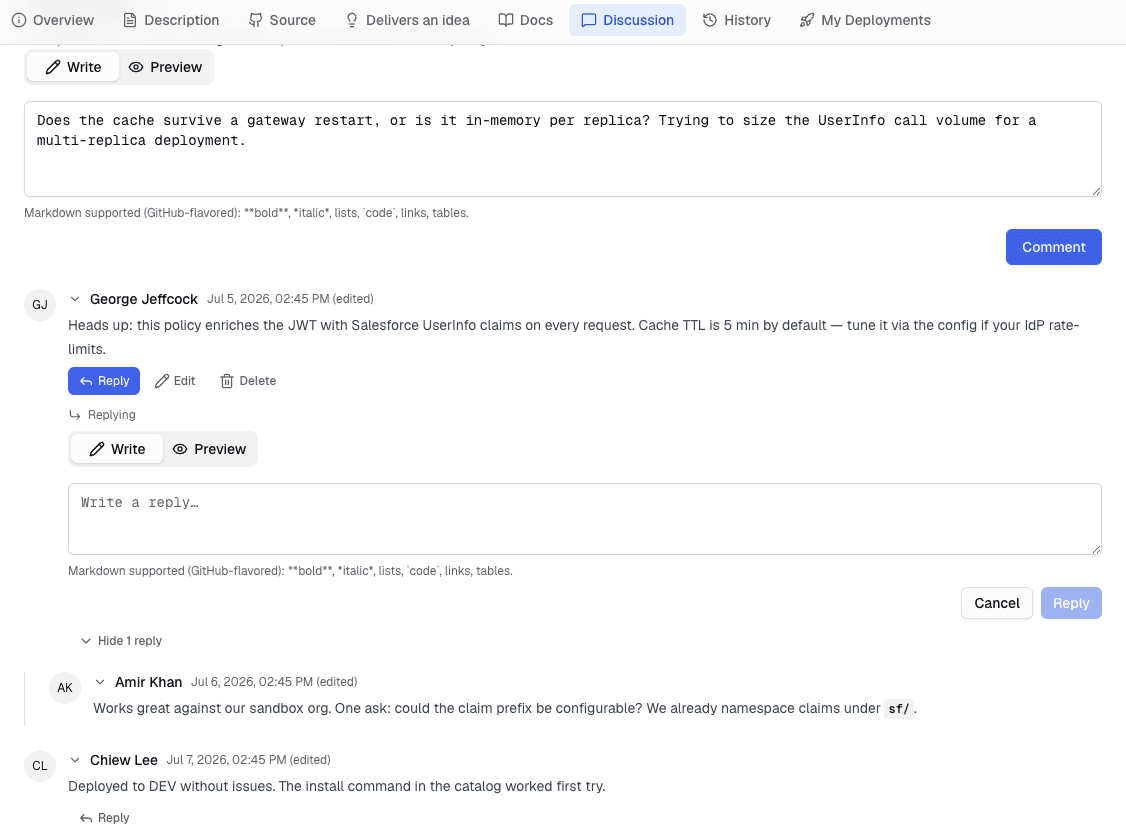
Threads nest as deep as the conversation needs. To keep long chains readable — especially on a narrow screen — the indentation stops growing after a few levels; deeper replies still sit inside the thread, they just don't step further to the right. You can collapse any comment's replies with the replies toggle beneath it.
Reacting to a comment
Under any comment you'll find a React control with a thumbs-up. Click it to upvote a comment — a useful answer or a good configuration tip — and click again to remove your reaction. The number next to the thumbs-up is the total count of people who reacted.
Reactions are a lightweight way to signal "this helped" without adding another reply, so the best answers in a long thread stand out. You need to be signed in to react; everyone (signed in or not) can see the counts.
Type @ followed by someone's username to mention them — for example @ada-lovelace. When you post, a resolved mention renders as a highlighted chip and the mentioned person is notified.
As you type after the @, a suggestion list appears next to your cursor. It matches on both username and display name, so you can find someone even if you only know their name. Use the arrow keys and Enter (or Tab), or click a suggestion, to insert their @username.
- A mention only resolves if the handle matches a real user's username. An
@handlethat doesn't match anyone stays as plain text — no chip, no notification, no error. - An
@handleinside a code span or code block is left alone, so pasting code that contains an@never pings anyone. - You won't notify yourself, and someone who's already being notified about the comment another way (because you replied to them, or commented on their policy) isn't pinged twice.
Set your own username in the Profile dialog so others can mention you — see Managing your account below.
Choosing your username
Open the Profile dialog from the account menu. Your Username is the handle others type after @ to mention you. It's lowercase letters, digits, dashes, and underscores (3–30 characters, starting and ending with a letter or digit) and must be unique. Everyone starts with a handle derived from their email address; change it here anytime.
Notifications
You can be notified — by email, in the in-app notification bell, or both — when a discussion you're part of gets activity:
- Someone replies to your comment, or comments on a policy you own — controlled by the Comment replies preference.
- Someone @-mentions you in a comment — controlled by the Mentions preference.
You're never notified about your own comments, replies, or mentions. To change what you receive, open the Profile dialog and adjust the per-channel switches under Notifications.
Editing and deleting your comments
Under a comment you posted you'll see Edit and Delete.
- Edit reopens the Markdown editor. An edited comment is marked (edited).
- Delete removes your comment. If it has replies, they stay in place and your comment is shown as a [comment deleted] placeholder so the thread still makes sense. This can't be undone.
Reporting a comment
Under someone else's comment you'll see a Report control. Use it to flag spam, harassment or abuse, off-topic content, or anything else that needs an admin's attention. Pick a reason and, optionally, add a short note with more context, then submit — reporting the same comment again is harmless and won't create a duplicate report.
Reporting doesn't remove the comment right away. An admin reviews the report and either dismisses it (the comment stays visible) or hides it, in which case it's replaced by a [removed by moderator] placeholder — replies underneath it are preserved. You won't be notified either way.
References
- Getting started — signing in and finding policies.
- Submitting a policy — contribute a policy others can discuss.