 P4A Documentation
Personal access tokens
Create and manage personal access tokens that let agentic clients and scripts act on your behalf in P4A.
Overview
A personal access token (PAT) is a secret credential that lets an external client call P4A on your behalf without your password — an agentic client such as Claude Code, a script, or a direct API call. Each token carries a name, a set of scopes that limit what it can do, and an optional expiry. You manage your tokens from the Settings page in the dashboard.
A token acts as you: anything it does is attributed to your account and limited to what you can already access. Treat a token like a password.
Opening the Settings page
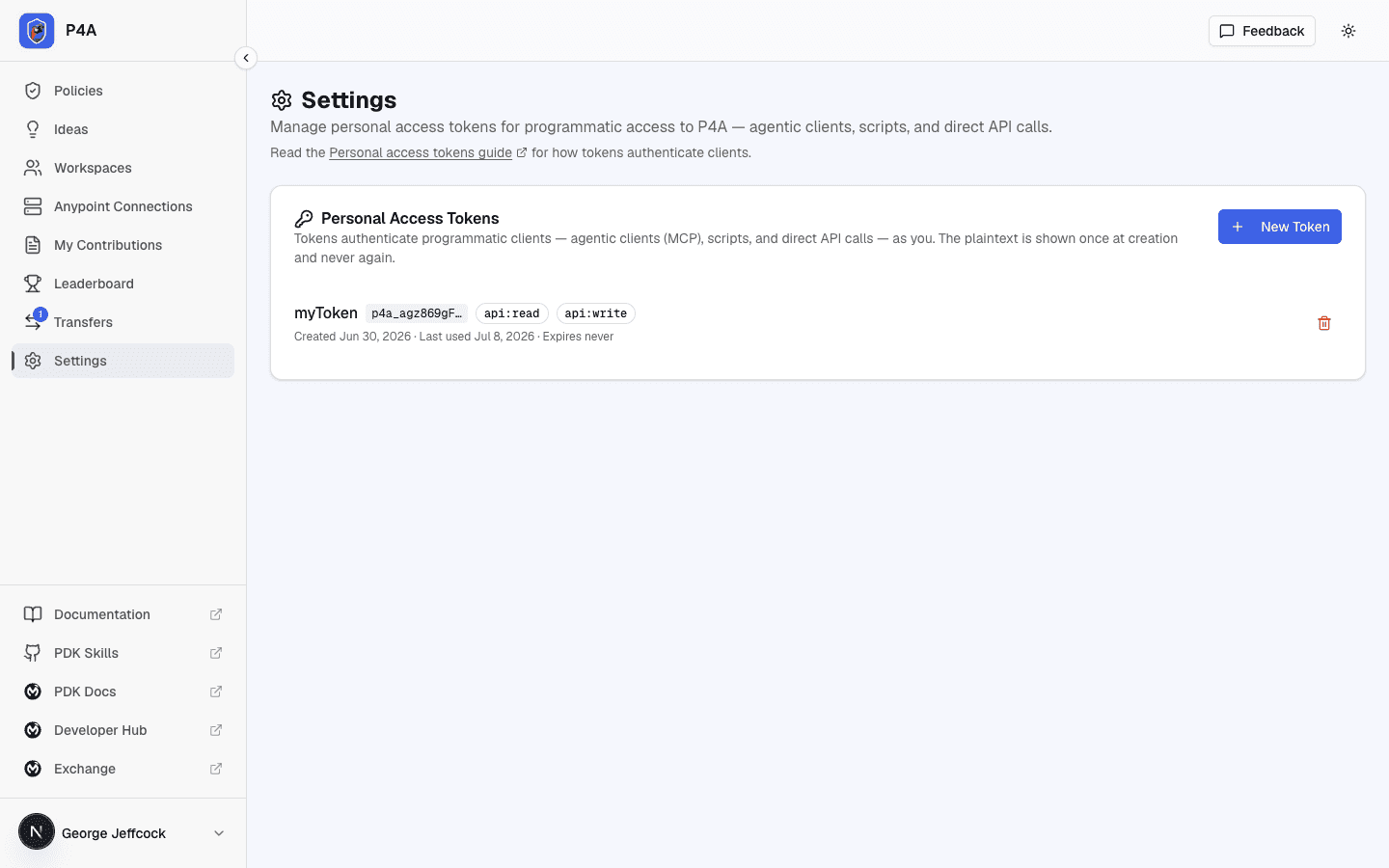
Open Settings from the dashboard sidebar. The Personal Access Tokens card lists every token you have created, with its name, a short prefix for identification, its scopes, and when it was last used.
Creating a token
- Click New Token.
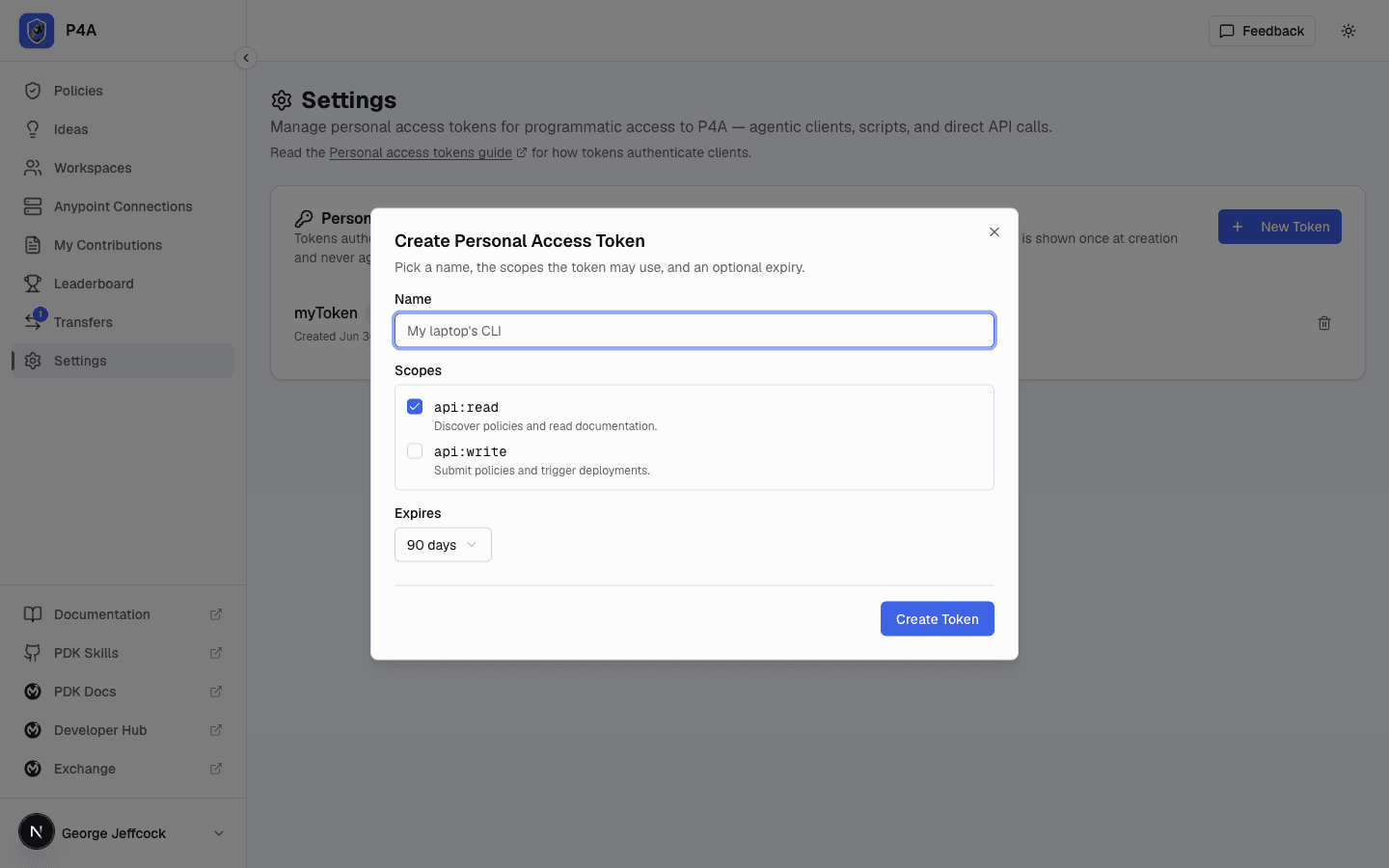
- Give the token a name that tells you where it will be used — for example, "My laptop's CLI".
- Choose the scopes the token may use (see below).
- Pick an expiry: 30, 90, or 365 days, or Never. A token that expires is safer; pick the shortest window that still works for you.
- Click Create Token.
Copy the token now
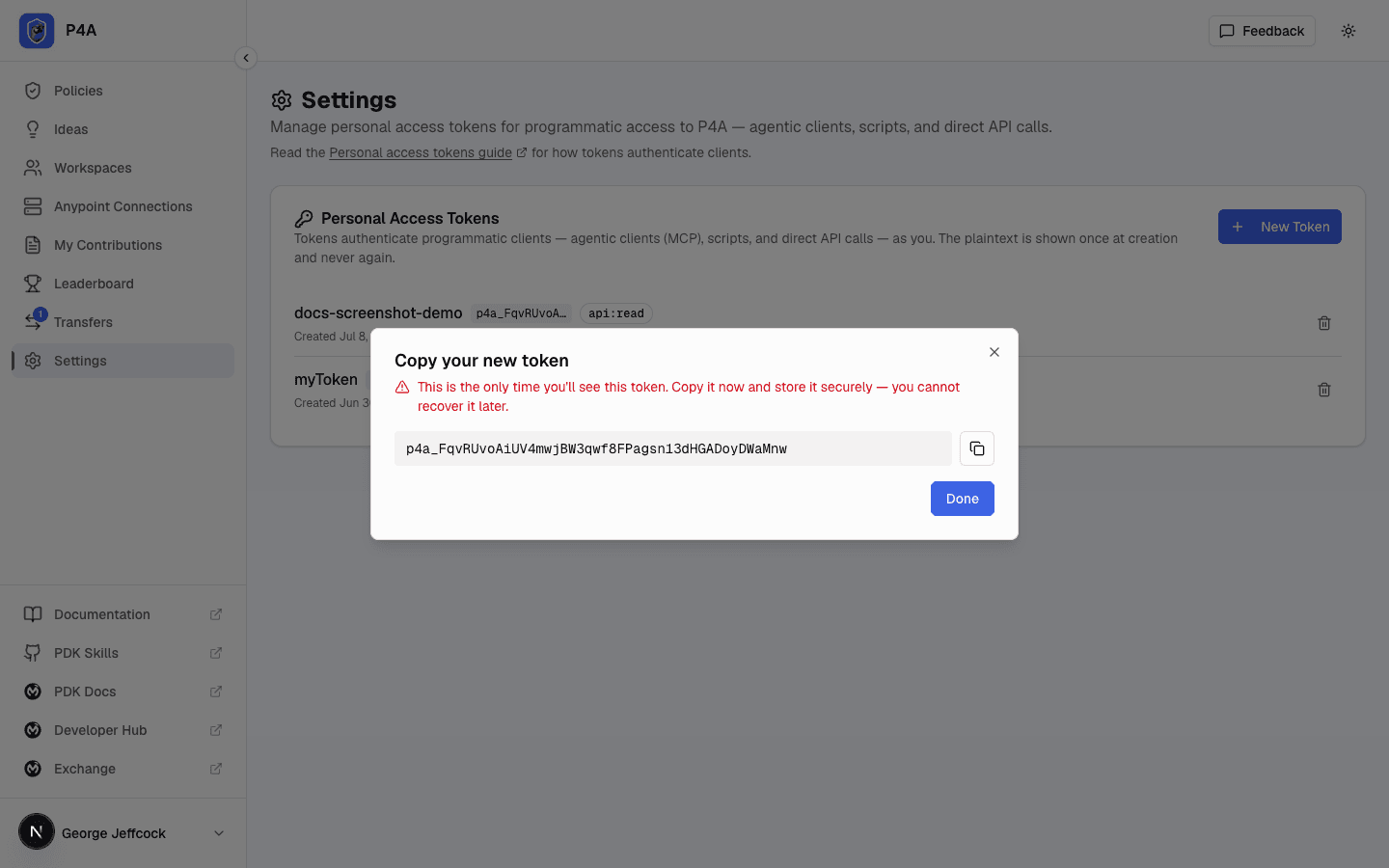
When the token is created, P4A shows the full secret value once. Copy it immediately and store it somewhere safe — a password manager or your client's configuration. P4A never stores the secret in a form it can show again, so if you lose it you must create a new one.
Scopes
Scopes limit what a token can do, so you can hand a client only the access it needs.
Scopes name the level of access, not the client — the same token works for an agentic client, a script, or direct API calls.
| Scope | Grants |
|---|---|
api:read | Search the catalog, read documentation, and list your deployments, connections, submissions, and workspaces. |
api:write | Submit and deploy policies, rename and delete connections, create and manage workspaces. |
Pick the narrowest set that covers your use. A read-only client never needs api:write.
Revoking a token
If a token is no longer needed — or you suspect it has leaked — revoke it. Find it in the list and click the trash-can icon, then confirm. Revoking takes effect immediately: any client still using that token stops working at once. Revocation cannot be undone; create a new token if you need access again.
If you think a token has been exposed, revoke it right away and create a replacement. A leaked token can do anything you can do, within its scopes.
Connecting an MCP client
The most common use of a token is connecting an agentic client to P4A's hosted MCP server. See Connecting a client for the endpoint, per-client config snippets, and What the client can do for the full tool list.
Calling the REST API directly
A token also works against the REST API directly — send it as a Bearer credential and call any documented endpoint:
curl https://www.p4a.dev/api/policies \
  -H "Authorization: Bearer p4a_xxxxxxxxxxxxxxxxxxxxxxxx"
The one exception is creating a token itself: that endpoint requires a signed-in browser session and rejects tokens, because a token cannot mint another token. Create tokens from the Settings page above, not from the API.
The REST API reference lists every endpoint a token can reach, with method, path, required scope, request and response shapes, and an interactive playground. You can also download the OpenAPI spec to import into Postman, Insomnia, or a code generator.